Manual
Basic Use
For open a new window of GaudiViewX, select the tool GaudiViewX inside Tools -> Insilichem -> GaudiViewX:

A new window will be opened for searching a Gaudi’s output file. After the selection of the file, a table with all the solutions will appear in your ChimeraX. Selecting any of the solution will display the 3D drawing of the molecules in your ChimeraX:
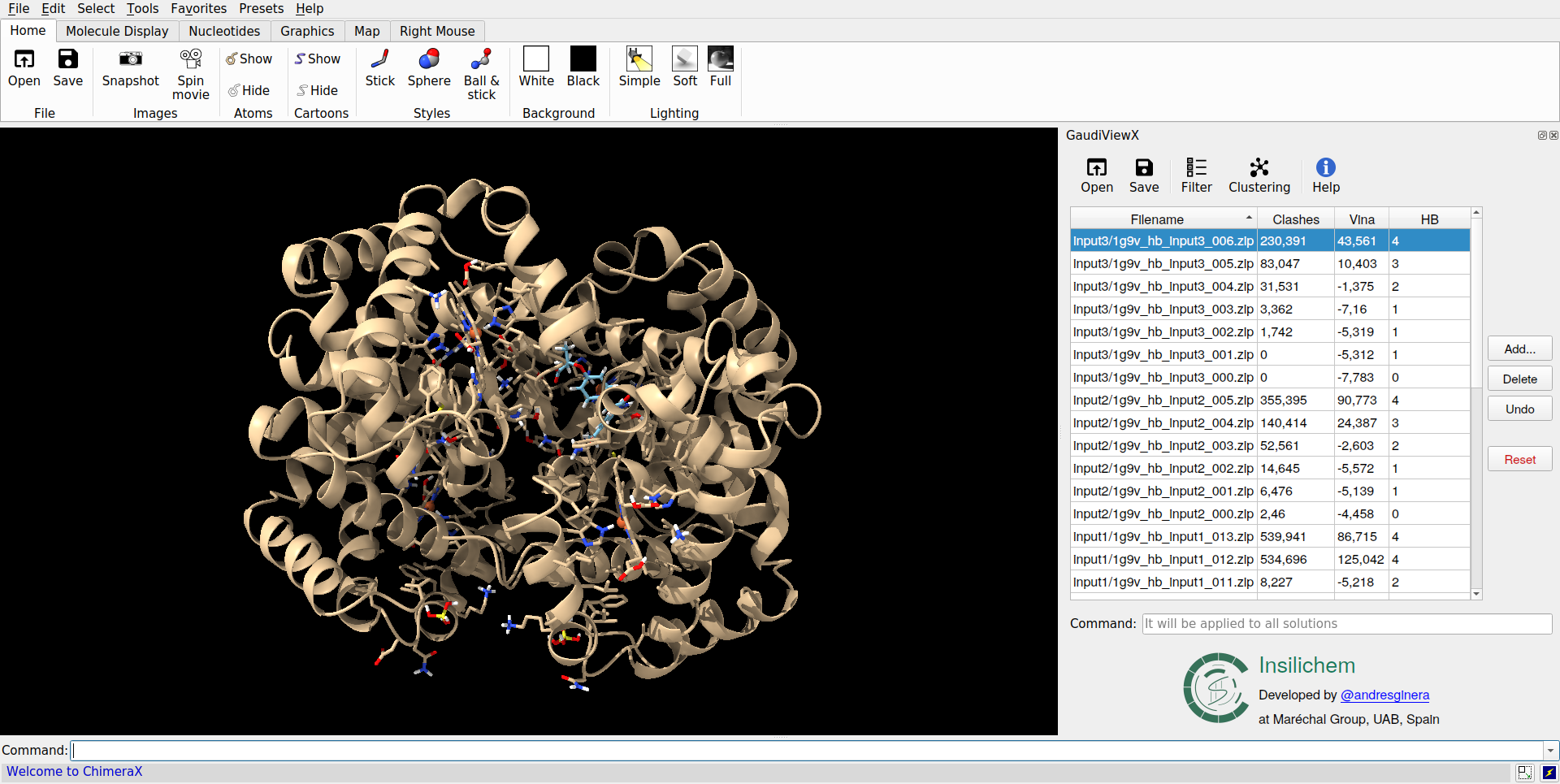
Toolbar
In the toolbar there are 5 utilities:

 | Open
Opens a new window to load a new output file closing all the models of the previous output file.
 | Save
Opens a new window to save the current data loaded in the table in the same or new file.
 | Filter
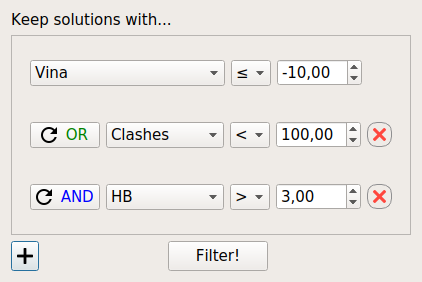
This option let you to keep among all the solutions the ones of interest. The user has to choose the objective(s) for which he wants to filter and select the logic behavior (>, <, =, ≥, ≤, ≠) and threshold of the filter.
With the button in the left-bottom corner, you can add more conditionals with their objective, logical behavior and threshold. The conditional are attached by the logical operators AND/OR. AND joins the conditionals in a unique one, meanwhile the OR will let you specify another independent conditional:
 | Clustering
It allows you to do a clustering of the solutions loaded in the table. For doing that, you must specify:
- The objective for which you want to do the clustering.
- The behavior on maximizing or minimizing this objective.
- The threshold of the RMSD which will determine if two solutions are considered equal or different.
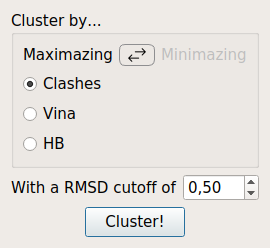
With this way, all the clusters will have as a nucleus the best possible solution for that cluster.
 | Help
Displays the internal help window.
Table editing
You can also edit the different solutions loaded in the table:
- You can add new solutions from a different files as long as it has the same objectives.
- Also, you can delete the solutions selected.
With the buttons of Undo and Reset you can returne to a previous state of the table. You can undo until 5 actions and the button Reset will restore all the table to the original loaded.
Command Line
GaudiViewX has also incorporated a command line, that has the advantage with
respect the ChimeraX command line of being executed each time you select a new
solution. In this way you can watch, for example the residue 8 in all solutions
writing show :8 in the command line only once.